To search
You are here: > > > > Snap Links
Softonic Rating:
Very good:8/10
License:
Free
Added:
September 28, 2007
Publisher:
Website
File size:
31 KB
Downloads:
98
Cyril Roger

“Open multiple links in new tabs”

by Cyril Roger

Snap Links is a clever Mozilla add-on for all you lazy people out there. This plugin allows you to select and open multiple links in one go. Once Snap Links is installed on your Firefox browser all you have to do is drag a rectangle over your links, and click your mouse button to open them in new tabs. You'll find that this can save you a good amount of time, especially when you're browsing a link rich page, like search results.

Don't go link crazy though. Snap Links will only open up selected links that are visible on your page. If you have a mouse or pointer add-on already installed on your Firefox, you'll have to make sure that Snap Links doesn't interfere with it. It happened to us while using Mouse Gestures.
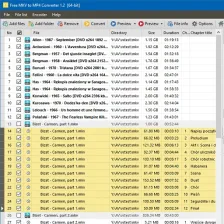
Snap Links offers a new way to quickly select and open multiple links in your browser.

Languages:

English

OS requirements for Snap Links:

  • OS: WinXP/Vista

Minimum requirements:

  • Firefox 1.0 or later
Pros
  • Saves time
  • Drag box on links
Cons
  • Can interfere with mouse gestures
  • Selects only links on visible part of page
Did you like this review?
8678 of 14 users liked it (61986%)

Snap Links Softonic Rating: 8Featured program

Softonic gives special recognition to software of exceptionally high quality. More information

From the publisher of Snap Links

Snap Links allows users to easily open multiple links in new tabs by drawing a box around them. Links can also be opened in new windows, new tabs on a new window, copied to clipboard, bookmarked or downloaded.

Snap Links options

Snap Links Options

Reviews for Snap Links in other languages

Softonic Rating:Very good
User Rating
Your opinion is important!

Download stats

Are you the developer of Snap Links?

If your program has received a Softonic rating, feel free to use the following award badge on your site or as part of any other promotional feature you may be putting together.

Snap Links Softonic Rating

Click on the above text field to copy the necessary HTML to your clipboard and then paste it to your website. It will display your program's Softonic Rating and will link to your program page.

Any queries? Contact us if you want more info.

Close